Showing posts with label podcasts. Show all posts

Friday, October 14, 2011

Hear and There podcast #a11y


Here's an interesting idea, make a podcast and describe visits the places that many person's with visual disabilities might not get a chance to visit.  The Here and There podcast does just that.  Dave Uhlman is a visually impaired Accessibility Consultant who visits and gives his unique perspectives on things like museums, nature, animals, art shows and much more.  One of the most recent episodes was a visit to the Cincinnati Zoo to pet Cheetah cubs. 


It's very interesting listening to the visual descriptions (especially as a sighted person).  They are very detailed and I find it very interesting.  Many of the episodes have pictures to accompany the descriptions.  Just listening to the episode while visiting the Cheetahs it was very fun to hear the purring as they pet the animals.  I would be very interested in hearing the episode about the "Tac Tiles" tour for the blind at the Chicago Art institute.


Check out this innovative and fun podcast out at http://hearandthere.net


Patrick


Share this
Do you know somebody else who would find this post interesting or useful? Please forward it to them. Did somebody forward this post to you? Visit Teaching All Students and subscribe to receive posts for free. If you need a tutorial please visit this post: RSS Readers.

Saturday, September 10, 2011

Listen & Learn with Podcasts! #a11y #assistivetech #spedtech #spedchat #slpchat


Are you wondering how you can access more professional development this school year?  Too busy to attend trainings, workshops or conferences?   Well, podcasts are great way to learn!  There are a number of good podcasts about accessibility, assistive technology, special education, speech language therapy, and technology.


Here is a list of podcasts that I have found not only informative but aslo entertaining!


Accessibility
  1. The Mac-cessibility Round Table Podcast (iTunes) - explores the use of Apple products by individuals with disabilities, focusing on but not limited to, users with visual impairments.

  2. AssistiveWare: Users in Control: A Fresh Perspective on Accessibility (iTunes) - This podcast offers an insightful look at how people with disabilities are empowered through the Mac OS X.

  3. All With My iPhone (iTunes) - John Cory Ballard and voiceOver give audio tours of iOS apps.

  4. Bind Cool Tech Podcast - The Blind Cool Tech Podcast provides interviews, brings you along on sound seeing tours, and discusses life and cool technology, especially technology that blind people can use.

  5. SeroTalk - podcast & interactive blog on the accessible digital lifestyle, produced by Serotek, the Accessibility Anywhere people


Assistive Technology:
  1. Assistive Technology In Public Schools (A.T.TIPScast) (iTunes) by Chris Bugaj - a podcast about using technology to help students meet their educational goals
  2. - Facebook page
    - @ATTIPScast on Twitter
    - YouTube channel

  3. EdCeptional (iTunes) - EdCeptional highlights access to learning for exceptional students of all abilities.

  4. Assistive Technology Update (iTunes) - fast-paced weekly update for AT professionals and enthusiasts by INDATA

  5. Tech Access Weekly (iTunes) - a podcast of unspecified length about accessible technology

  6. AT Maine: The Assistive Technology Show (iTunes) - The Assistive Technology Show is a weekly round table-style forum devoted to discussing all things assistive technology, or technology related.

  7. AssistiveWare: Assistive Technology Podcasts and Videos
    -  Exploring the Frontiers of Assistive Technology
     (iTunes) - This is a video podcast showing how people use assistive technology to communicate, express their creativity, play games and make so much more out of life. These videos show that there is no reason why people with physical, vision, speech or language impairments cannot use the same creative and educational software as every other Mac OS X user. There are a few episodes per year, each starring a different person.

Special Education:
  1. The Coffee Klatch (iTunes) - A virtual cup of coffee for parents of special need children bringing you award-winning authors, expert psychiatrists, psychologists, & international renowned children's foundations.

  2. Making Special Education Work (iTunes) by KPS4Parents - Podcasts regarding special education and how it affects families, taxpayers, and society at larget as well as how everyone can work together to deliver sound educational services to children with disabilities in a way that benefits society as a whole.

  3. rethink autism (iTunes) - rethink autism shares several tips a month about how to teach children with autism in a way that is easy to understand and apply.

  4. Special Needs Talk Radio - talk radio network with outstanding new broadcasts produced by The Coffee Klatch.

  5. The IRIS Center PodCast (iTunes) - The IRIS Center offers special education resources and materials--validated instructional strategies, research-to-practice strategies, best practice strategies--for the effective inclusion and mainstreaming of students with disabilities. The Center provides resources for college and university faculty and professional development providers in the areas of accommodations; assessment; behavior; collaboration; differentiated instruction; disability; diversity; learning strategies; math; reading, literacy, and language arts; response to intervention (RTI); and school improvement. In addition, IRIS materials provide information on issues related to professional standards and SPP indicators. IRIS online modules, case studies, activities, and podcasts are available at no cost to all education professionals.

Speech Langauge Therapy:
  1. ASHA Podcast - every 3 or 4 weeks, ASHA will feature an interview with a professional that is making news the field of speech-language pathology or audiology.

  2. GeekSLP TV (iTunes) - GeekSLP, or Barbara Fernandes, does monthly video shows featuring reviews of iOS apps and accessories as well as discussion of various topics related to the use of technology in speech therapy.

Technology:
  1. This Week in Technology (TWiT) (iTunes)
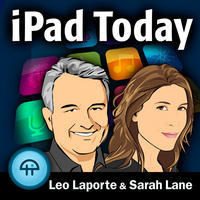
    -  iPad Today (iTunes) - Leo Laporte and Sarah Lane highlight the best apps, most helpful tools, coolest tricks, and essential news surrounding the iPad revolution.  This show is recorded live on Thursdays at 1:30PM PT/4:30PM ET on http://live.twit.tv.

  2. MacReach (iTunes)  - hosted by Apple Distinguished Educator and mobile learning specialist, Meg Wilson, the MacReach podcast brings the most innovative contributors, integrative ideas, and cutting-edge classroom strategies to the forefront.  The show generally airs on Thursday nights.

For Students:
  1. Night Light Stories - podcast featuring original children's stories told by the friendly glow of a child's night light.
    -  Facebook page

  2. Billy Gorilly's Podcast for Kids (iTunes) - "The Billy Gorilly Show" is perfect for 3-6 year olds.  This entertaining show is designed to promote learning in 5 key areas: values, creativity, literacy, math, and science.   Free activity pages that kids can work on while they are listening are available to download at billygorilly.com.

  3. Sesame Street Podcast (iTunes)

READERS:
 Which podcasts do you listen to about the above topics?  If I have left a good podcast off this list, please share by commenting below.


-  Jeremy


Share this
Do you know somebody else who would find this post interesting or useful? Please forward it to them. Did somebody forward this post to you? Visit Teaching All Students and subscribe to receive posts for free. If you need a tutorial please visit this post: RSS Readers.

Tuesday, August 16, 2011

Teaching All Students blog featured on TWiT iPad Today show about "Accessibility Apps"!


We are extremely honored that the Teaching All Students blog was featured by Leo Laporte and Sarah Lane on TWiT's "iPad Today show.  iPad Today is the TWiT network's first show highlighting the best apps, most helpful tools, coolest tricks, and essential news surrounding the iPad revolution.  On episode 58, Leo and Sarah discuss accessibility apps for the iPad and mention the Teaching All Students blog as a resource!

To listen to or view the show visit TWiT iPad Today 58: Accessibility Apps.

Thank you, Leo & Sarah, for the great exposure!

-  Patrick & Jeremy

Wednesday, July 6, 2011

Google+

Last week Google released their long awaited social networking tool Google+.  While I don't have access to Google+ (and from what I've seen it's pretty hard to get in) from what i've heard it has a quite a lot of potential, especially for education.  This post is not specifically about AT or special education, but I think that the potential of Google+ is something that should be looked at.

Circles:  While this cartoon may explain why people would want to join Google+ (Google+ xkcd), Circles is what sets it apart from Facebook.  When you first start Google+ allows you to sort your friends into groups.  This allows you to share information with specific groups or publicly, which is something that Facebook has not made easy.

Implications for Education:  Circles would allow you to friend family, friends, co-workers or students which is something that I would never do on Facebook.  By creating Circles you can share information with one Circle, some Circles or publicly with everyone.  It allows you to share more like you typically do, you share certain information with co-workers, close friends or family.  It solves the Facebook issue of everything being public.

Hangout:  Hangout is a video chat for up to 10 people.  The chat is run from your browser and includes text chat, Youtube video sharing (which means you all can watch), and automatic switching to who is talking.  You do need to download a small file from Google to make it work - Google voice & video chat.  To use Hangout, you set your profile to say you are available to certain Circles, then your friends can initiate the video.

Implications for Education:  Imagine having "office hours" via Hangout.  You can set certain times you'll be online and available to Hangout with your students.  Offering help via video and hopefully screen sharing or whiteboard too (don't know anything just features I'd like to see).  Hangout's even continue after you leave the session, allowing students to continue to discuss after you leave.

Sparks:  Sparks is a way to discover new content/information.  You add your interests and Google finds articles, stories, or posts that fit that topic.  You can then share that information with your Circles or publicly.

Implications for Education:  Sparks sounds like a machine curated version of Twitter.  While information on Twitter is curated by your friends, Sparks is more Google directed.  I can see this as a very interesting way to discover new information for my PLN and such.

Again, I have not had access to Google+ and these are just my impressions.  If you are interested in seeing more about Google+ I recommend checking out EdReach.us this week as they are doing a great round up of Google+.  Also, check out Episode 101 of This Week in Google on the TWIT network.


Patrick


Share this
Do you know somebody else who would find this post interesting or useful? Please forward it to them. Did somebody forward this post to you? Visit Teaching All Students and subscribe to receive posts for free. If you need a tutorial please visit this post: RSS Readers

Wednesday, January 12, 2011

Goals vs. Standards


There is a lot of talk these days about Standards: Common Core Standards, State Standards, etc... and it's had me thinking.  What's the difference between IEP Goals & Standards?


Listening to a recent podcast - With Students in Mind, episode 7 - and Russ Goerend talks quite a lot about teaching his class to the standards and even giving grades based on standards.  And all I kept thinking was how is this any different than IEP goals?  IEP goals are just a way to measure progress, like standards.  IEP goals are monitored on a regular basis, like standards.  IEP goals are standards!


OK, so there are a few differences that I can think of Goals are individualized to each student, while standards are more generalized.  Another large difference I can think of is that Standards are shared with students, while goals are not.  Many schools are sharing standards with students, as a way to increase student success.  Why aren't we doing it with IEP goals?


I admit, this is not something I've considered very much until recently, but I think it's a conversation we need to have.  I teach students with significant cognitive disabilities and I've never done this.  And it occurs to me that maybe I should.  I'm expecting my students to "meet" standards, but they've never been told what it is that I want them to do.  Just like their peers in general education, if they don't know what they are working towards, how can they meet it?


I don't have an answer to this question at this time, but I do think it's something that we need to consider as educators, especially special educators.  I know it's something I'll be looking into!


Patrick


Photo courtesy of Flickr Creative Commons:  BabyDinosaur


Share this
Do you know somebody else who would find this post interesting or useful? Please forward it to them. Did somebody forward this post to you? Visit Teaching All Students and subscribe to receive posts for free. If you need a tutorial please visit this post: RSS Readers

Tuesday, October 6, 2009

A.T.Tipscast - Special Announcement!


Chris Bugaj, who hosts of one of my favorite podcasts, the A.T.TipsCast, has just announced that he has a book coming out next year!  A.T.Tipscast is a great way to get all different types of professionals learning about assistive technology and it's usefulness in a school setting.  Here's the post about his book.  This book looks to be a fun, insightful look at AT implementation, building teams, and uses.  Please support Chris by listening to the A.T.Tipscast (you can sign up on iTunes or here are Cyberears) and look for his book next year!

Patrick

Share this
Do you know somebody else who would find this post interesting or useful? Please forward it to them. Did somebody forward this post to you? Visit Teaching All Students and subscribe to receive posts for free. If you need a tutorial please visit this post: RSS Readers

Thursday, August 6, 2009

TeacherConnecting Podcast


Earlier this year I mentioned a website called Teachers Connecting. Recently I found that they have a podcast: Teachers Connecting Podcast. It's a great mix of ideas for classroom use, blogs to read, and comments from their readers. Take a listen today!


- Patrick

Share this
Do you know somebody else who would find this post interesting or useful? Please forward it to them. Did somebody forward this post to you? Visit Teaching All Students and subscribe to receive posts for free. If you need a tutorial please visit this post: RSS Readers

Sunday, August 2, 2009

They Might Be Giants Friday Night Family Podcast-Update

I'm excited to announce that a commenter noted that this podcast is not done and gone!  In preparation for the release of their upcoming science CD/DVD (Here Comes Science) they will begin doing the podcast.  In August you can expect new episodes to be posted.  Make sure to subscribe today so you don't miss an episode!


Patrick


Share this
Do you know somebody else who would find this post interesting or useful? Please forward it to them. Did somebody forward this post to you? Visit Teaching All Students and subscribe to receive posts for free. If you need a tutorial please visit this post: RSS Readers
Friday, July 31, 2009

They Might Be Giants Friday Night Family Podcast


So yesterday, I posted about the new TMBG CD/DVD Here Comes Science. While reading about it on Wired GeekDad's blog, I saw a mention of a podcast. The They Might Be Giants Friday Night Family Podcast (link opens into iTunes) was started about 2 years ago, and sadly seems to have stopped last year. That being said you can still download all the episodes and listen to them. It is a video podcast and has videos from their CD/DVD's Here come the ABC's and Here Come the 123's.

The podcast is hosted by puppet versions of John & John (the lead singers) and the first episode is about giving High Five. This really seemed like a great song, and a wonderful lesson for kids. It could be used as part of a social story for kids who have trouble with know "when" to high five and such. While I haven't seen all the podcasts yet, there are ones about even & odd numbers, outer space, letters. It looks like a lot of fun and I can't wait to share it with my class!


Patrick

Share this
Do you know somebody else who would find this post interesting or useful?  Please forward it to them.  Did somebody forward this post to you?  Visit Teaching All Students and subscribe to receive posts for free.  If you need a tutorial please visit this post: RSS Readers

Saturday, July 25, 2009

Nightlight Stories


It's been a few weeks since I listened to the A.T.Tipscast and just got around to listening to the end of season 2. It shared a great tip for everybody. The tip was for Nightlight Stories. Nightlight Stories are a collaboration between Chris (A.T.Tipscast) and his wife. They are all original stories, and some have a recurring character. Once you listen to the store (by download through iTunes) you can head to the blog. On the blog they have vocabulary and comprehension questions that can be used with each story.

I know I immediately started looking at the ways this could be used in the classroom. As an auditory listening activity with questions to follow. It could even be used as homework for a student. Send home the questions, and tell the parents where to find the audio to do with them. The possibilities are endless.

Make sure you check out the A.T.Tipscast podcast, and also Nightlight Stories. Both are available on iTunes and through their website.

Patrick

Share this

Do you know somebody else who would find this post interesting or useful? Please forward it to them. Did somebody forward this post to you? Visit Teaching All Students and subscribe to receive posts for free. If you need a tutorial please visit this post: RSS Readers

Thursday, January 29, 2009

A.T.TipsCast


Recently I stumbled upon a really good podcast for Assistive Technology. A.T.TipsCast is a blog, but is also a great podcast available on Cyberears and iTunes. This podcast is short and to the point. Most episodes are around 6 minutes, and none are over 10 minutes. Chris Bugaj (pronounced /boo gay/) is a entertaining and engaging host, and the topics are a great mix of new information and interesting ways to use stuff you already have.

Take a minute and check out the A.T.TipsCast. You won't be sorry.

Patrick

Share this
Do you know somebody else who would find this post interesting or useful?  Please forward it to them.  Did somebody forward this post to you?  Visit Teaching All Students and subscribe to receive posts for free.  If you need a tutorial please visit this post: RSS Readers

Tuesday, November 18, 2008

Online Audio Stories

A great list was shared today on the QIAT List today.  The list is all free resources for audio stories and was shared by Glenda Hampton-Anderson the blog ATClassroom.

Audio Stories

Tumble Books has a free and subscription section on their site. Many books are available for free, all you have to do is sign up and then you will have access to some amazing audio stories called eBooks for Kids.

Story Online
which has actors reading books with full visuals of each page. The books change often so be sure to revisit this site and enjoy all that it has to offer.

Stone Soup offers a place for your students to publish their stories and read them and/or a place to listen to stories read by other students.

Candle Light Stories provides classic stories (read by professionals with sound effects included) that can be listened to on the computer, downloaded to iTunes and even put on iPods for portable listening. (Great way to allow iPods in your class!) You can even subscribe to have them automatically downloaded to your iTunes.

BookBox- Downloadable Flash stories are digitally narrated with simple animation and streaming text across the bottom - you see whole phrases, and the letters go from white to red as the words are spoken (called 'SLS' - same language subtitling). The stories are $2 per download - for PC, Mac or Video iPod, or you can buy DVD or CD-ROM collections. The stories are international in flavor, and come in several languages. You can preview the stories for free, so you could see if it fits your needs. The illustrations are beautiful and the animation simple.

Storynory provides fee audio stories. You can sign up and have them delivered to you every week. They can even be put on your iPod and played in the car... All the stories are read by our their own storyteller, who will beguile you with her warm tones and her many different voices.


Thanks Glenda, make sure you visit ATClassroom and check out her other information.

Share this
Do you know somebody else who would find this post interesting or useful?  Please forward it to them.  Did somebody forward this post to you?  Visit Teaching All Students and subscribe to receive posts for free.