Sunday, July 31, 2011

What's the scoop? Check out Jeremy's new scoop.it on "Technology in Special Education"!


Interested in the latest news related to accessibility, assistive technology, AAC, & other topics related to the use of technology in special education? Then you should check out my new scoop.it on "Technology in Special Education"! This is a news feed that I will be regularly curating.


Share this
Do you know somebody else who would find this post interesting or useful? Please forward it to them. Did somebody forward this post to you? Visit Teaching All Students and subscribe to receive posts for free. If you need a tutorial please visit this post: RSS Readers.

Weekly Diigo Links (weekly)

Posted from Diigo. The rest of my favorite links are here.

Saturday, July 30, 2011

Disabled World: "QR Codes - Uses and Accessibility for Persons with Disabilities"

qrcode
QR code for
Teaching All Students blog


Earlier this week, the Disabled World published a very helpful article about QR codes. The article provides an overview of the QR code technology, discusses accessibility issues, offers practical uses of QR codes to assist people with disabilities, and some thoughts about what the future of QR codes might be.

Read the full article here.


Share this
Do you know somebody else who would find this post interesting or useful? Please forward it to them. Did somebody forward this post to you? Visit Teaching All Students and subscribe to receive posts for free. If you need a tutorial please visit this post: RSS Readers.

Friday, July 29, 2011

Hands On Music: An iPad Band for Students with Disabilities

This is truly a MUST WATCH! It is the full version of the video shared by the Inclusive Design group at the Apple Distinguished Educators' 2011 Summer Institue. As Luis Perez (ADE & member of Inclusive Design group) explains, "This is what happens when you believe that people with disabilities have the same right as everyone else to creativity and self-expression."

The video footage was captured in District 75, which is the Special Education District within the New York City Department of Education


Share this
Do you know somebody else who would find this post interesting or useful?  Please forward it to them.  Did somebody forward this post to you?  Visit Teaching All Students and subscribe to receive posts for free.  If you need a tutorial please visit this post: RSS Readers.

Low-cost AAC: Talk Points

I discovered these low-cost communication devices today via Twitter. Talk Points from Learning Resources are simple buttons that record and reply up to 1o seconds of audio. Such devices would useful for presenting instructions activities, providing students with audio reminders, giving immediate self-assessment, practicing letter sounds or words, speech therapy, and more!


Features:
  • Designed for use with preschool and elementary students; child-friendly - fits perfectly in little hands
  • Record and re-record instantly
  • Lock switch
  • Replay volume can be heard in a busy classroom
  • Adapts easily to variety of activities and settings
  • Lasts long as battery is replaceable
  • 5 bright colors allow for color-coding

Price: $34.99 for a set of 5


Share this
Do you know somebody else who would find this post interesting or useful? Please forward it to them. Did somebody forward this post to you? Visit Teaching All Students and subscribe to receive posts for free. If you need a tutorial please visit this post: RSS Readers.


#AppMondayTAS - Sosh - Winners


I hope all our readers enjoyed this week's featured app, Sosh! Below are the winners of the 4 promo codes.

  1. Twitter: Bridget Gilormini
  2. Facebook: Jessica Hampton Lawson
  3. Facebook: Kelly Jo Kautz
  4. Blog Comments: Sue Holt

Winners, please comment below or e-mail me with your e-mail address. I hope everyone enjoys the weekend and be sure to check back with us on Monday for another #AppMondayTAS!!


Share this
Do you know somebody else who would find this post interesting or useful? Please forward it to them. Did somebody forward this post to you? Visit Teaching All Students and subscribe to receive posts for free. If you need a tutorial please visit this post: RSS Readers.

Wednesday, July 27, 2011

ePub for All

ePub is a free digital book publishing format that can be used to create ebooks for use on mobile devices and computers.  ePub created books can be read on browsers, and many mobile device apps like iBooks, Stanza, Nook for iPad & other free ereaders.  You can even read them on devices like the Nook, Nook Color, Kobo, or Andoid devices.  These books can include pictures, links, audio and video embedded in the book.

Since ePub allows you to embed audio and video it can be useful for creating social stories and books for many different students.  ePubBud is a site that helps you to create your own ePub formatted books for use on browsers and mobile devices.  The general ePubBud is available to anyone and you can use it to create books, view books, get ISBN's to sell your books online (for a small fee), or send them a book and they will digitize it for FREE!

ePubBud also has a EDU site for use by teachers and other professionals at edu.epubbud.com.  With this site you can create classrooms, manage students, as well as create your own books as all the other options.  This site is constantly being updated and the EDU version is very new, so stay tuned for many more updates.

A couple of things I'd like to share about the ePub format that is important when creating.  At this time audio and video are only usable in the iBooks app on iOS devices & in the Chrome web browser.  I don't know about other ereader devices (like the Nook or Kobo), but I would hope that more widespread support will be coming soon!  Also video in the .mp4 format & audio in the .mp3 format works best with ePub.  If you are interested in learning to create your own ePub book you can find out more here:

2 Differentiate - ePub directions
Use Google Docs to create an ePub book
Administer Classrooms & how to create ePub Books

Patrick

Share this
Do you know somebody else who would find this post interesting or useful? Please forward it to them. Did somebody forward this post to you? Visit Teaching All Students and subscribe to receive posts for free. If you need a tutorial please visit this post: RSS Readers

Tuesday, July 26, 2011

Create SMART Board lessons from home for FREE using SMART Notebook Express


With a recent update by SMART Technologies to the SMART Notebook Express tool, teachers can now CREATE new Notebook files on any computer that has web access WITHOUT having the SMART Notebook software installed. When you launch SMART Notebook Express you are presented with two choices: 1. Open an existing Notebook file or 2. Create a new Notebook file. I know that I will definitely find this new feature helpful when I want to create new SMART Notebook activities and might not be on my classroom computer or personal laptop, which have SMART Notebook software installed!


- Jeremy


Share this
Do you know somebody else who would find this post interesting or useful? Please forward it to them. Did somebody forward this post to you? Visit Teaching All Students and subscribe to receive posts for free. If you need a tutorial please visit this post: RSS Readers.

Monday, July 25, 2011

Wall Street Journal: Using Multitouch Therapy To Reach Autistic Kids

Wow!! "Multitouch therapy" was featured on the Wall Street Journal yesterday. The fact that such technology for children with autism is being featured by the Wall Street Journal is amazing. Even more impressive, is the fact that it is both research-based and open source (FREE)!


Download the software activities here. Requires a Windows 7 tablet supporting multitouch and OpenGL 2.0.


- Jeremy


Share this
Do you know somebody else who would find this post interesting or useful? Please forward it to them. Did somebody forward this post to you? Visit Teaching All Students and subscribe to receive posts for free. If you need a tutorial please visit this post: RSS Readers.

Mashable: 4 Ways iPads Are Helping People With Disabilities


Very exciting!! Earlier this week I was interviewed by Zoe Roberts of Mashable for an article that she published today, 4 Ways iPads Are Helping People With Disabilities. The article discusses four different ways in which people with disabilities benefit from the iPad. My contributions to the article can be found in the section on how the iPad is an educational tool. The Teaching All Students blog is even mentioned!

What do you think are the significant ways in which the iPad helps users with disabilities? Do you know of a use that was not discussed in the article? Please comment!


- Jeremy


Share this
Do you know somebody else who would find this post interesting or useful? Please forward it to them. Did somebody forward this post to you? Visit Teaching All Students and subscribe to receive posts for free. If you need a tutorial please visit this post: RSS Readers

Stephen Wiltshire's Draw! Test your skills


Draw! Test your skills is a FREE, online drawing app from Stephen Wiltshire, an artist with autism who creates detailed cityscapes. The app only works with certain browsers (Chrome, Firefox, Safari). However, it is compatible with interactive whiteboards as well as iPad, iPhone, and Android devices!


- Jeremy


Share this

Do you know somebody else who would find this post interesting or useful? Please forward it to them. Did somebody forward this post to you? Visit Teaching All Students and subscribe to receive posts for free. If you need a tutorial please visit this post: RSS Readers

#AppMondayTAS - Sosh


Do you have a child or student who struggles with social skills? If so, I would highly recommend that you check out Sosh.

About SoshTM
SoshTM is a new approach to social skills development. The Sosh methodology breaks down social functioning into five essential areas: Relate (Connect with Others), Relax (Reduce Stress), Regulate (Manage Behaviors), Reason (Think it Through), and Recognize (Understand Feelings). These 5 R's serve as a roadmap for individuals who struggle with social skills and also serve as a guide for parents, teachers, and therapists.


The Sosh App
The Sosh app (for iPod Touch or iPhone) assists children, teens, and young adults improve their social skills by providing strategies, tools, and information they can easily use in their everyday environments to navigate social situations. The app also provides feedback and guidance for parents, teachers, and/or therapists working with the user. The release of such an app has brought about an exciting revolution, as it moves social skills training into the world of mobile learning! Whereas traditional social skills tools and strategies are commonly used in superficial settings, the Sosh app was designed to work with and for individuals when the need the support the most - In the Moment, or real-time!

This app is the most comprehensive electronic and portable toolbox for social skills development! It consists of over 60 well-designed screens presenting exercises, strategies, and practical information to help users work through social situations in step-by-step manner. Below I will share what I feel are the most impressive and significant features in each section of this app. If I were to include all the features of this app, you might not read the rest of the review and miss the amazing giveaway and special offer!

Overall:
  • Strength-based design, appeals to strengths of user while also building on social deficits
  • Contents of this app are evidence and research based
  • The app allows for customization by adding custom strategies, visuals, and audio recordings.
  • Strategies & tools are organized into 5 essential areas
Relate:
  • Talking Strategies - presents list of strategies to help user be successful during social interactions. This section can be customized by adding media (audio or photo) to demonstrate each strategy as well as additional strategies.
  • Common Ground - encourages user to find common interests to discuss
  • What Did That Mean? - the most common idioms are explained using simple language
  • Out and About - Explore suggests nearby Locations to visit.
Recognize:
  • Facial Expressions Gallery - improves user's ability to recognize emotions using photos
  • Feelings - facilitates thinking about how another person might be feeling and why
  • Triggers - helps user reflect on what causes behaviors and think about whether or not actions are helpful
Relax:
  • What Helps? - presents a customizable list of calming strategies
  • Shredder - virtual exercise featuring visual and auditory feedback to help the user get rid of negative feelings, thoughts, or situations.
Regulate:
  • Voice Meter - visual cue for students who talk to soft or loud
  • Behavior Tracking tool- virtual "clickers" to count instances of behaviors
  • Self-Monitoring - provides alerts at specified interval
Reason:
  • Transition Timer - helps facilitate transitions using a count-down timer with optional warning alerts (beep or voice) at 5- and 1-minute remaining.
  • Problem Solver - template helps define problem & consider possible solutions
S
osh (Daily Navigation Page):

  • Journal with ability to record audio
  • Goals module, which provides option of either selecting from a list or typing in custom goals
  • To Do list with capability to include a visual for each task
  • Rate - generic scale that could be used to rate anything
  • Ability to archive & export/share data and/or media via bumping devices or e-mail
  • Favorites feature - quick way for user to access sections of app he/she uses most
MySosh:
  • Online forum for parents, teachers, & therapists
Archive:
  • App is able to maintain data across multiple sessions/days
  • Search capability
Stress:
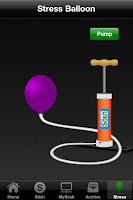
  • Fun activity of pumping up a balloon to help relieve stress

Suggestions for Improvement:
  • Consider updating the app to fully support the iPad (universal format).
  • Modify the app so it could be used on one device with multiple children/clients/students. When the app launches, a log-in screen could appear, where the user selects his or her name and enters a password.
  • Transition Timer - There needs to be an option for "0" minutes or "0" seconds. Also, could the countdown be presented visually (like the TimeTimer)?
  • Journal - Add options to respond to questions by taking a photo or drawing. Also, provide capability to record video responses.
  • There is no easy way to delete an item on the Goals, To Do, or Favorites screens.
  • The MySosh registration form is too much to easily complete using an iPod Touch or iPhone. Either require less information or allow registration via the MySosh website.
About the Creators
Mark Bowers, Ph.D., PLLC is a licensed pediatric psychologist who has a private practice in Ann Arbor, Michigan. He has been providing psychological services to children, adolescents, and their families for over a decade. Dr. Bowers specializes in neurodevelopment disorders and is an expert in social skills development. In addition to developing the Sosh app, he is the author of the book Sosh: Improving Social Skills with Children and Adolescents, which compliments the mobile app.

Dr. Kelly Bowers is a licensed psychologist. She received her Ph.D. in Counseling Psychology from the University of Kansas. Her studies focused on the individual strengths in children, adolescents, and young adults. Dr. Kelly was named one the University of Kanasas' Women of the Distinction. Prior to beginning her role as consultant for the Gallup Organization, she served as Director of Counseling at Baker University. Dr. Kelly has contributed scholarly articles to psychology journals. She recently authored chapters in the book, Positive Psychology in Practice, and a 4-volume series titled Positive Psychology Perspectives. Dr. Bowers has been named as a Positive Psychology Fellow by the Gallup Organization and serves on the board of the Michigan Autism Partnership.

Giveaway & Offer
  • The creators of the Sosh app have provided us with 4 promo codes to giveaway to active followers and readers of the Teaching All Students blog. You can enter to win a promo code by doing the following:
    1. Comment below on this post.
    2. Tweet the following: "RT @techieteacher - @MYSOSH comprehensive social skills app featured on #AppMondayTAS - win promo codes & special 48hour discount #teachingall"
    3. Like Teaching All Students AND Sosh on Facebook. Leave a comment on either page about this giveaway.
    If you do all 3, you will be entered 3 times. Good luck!

    UPDATE: Winners of the promo codes for the Sosh app will be announced on this blog post on Friday.

- Jeremy


*** I received a copy of this app to review. ***


Share this

Do you know somebody else who would find this post interesting or useful? Please forward it to them. Did somebody forward this post to you? Visit Teaching All Students and subscribe to receive posts for free. If you need a tutorial please visit this post: RSS Readers

Wednesday, July 20, 2011

Boxmeup

Boxmeup is a new website and app for Android that has some interesting applications in a classroom.  The basic idea of Boxemeup is that it allows you to create virtual "containers" and "lists" of items.  You can then assign the items to the containers.  While this is all done on the computer, but what makes it cool is that those virtual containers, can be real containers in your house, classroom or office.  Boxmeup creates a QR code to put on the physical container.  When you scan the code (using an Android app only at this time) it will tell you what is in the container.  You can also search for your items on the website and it will tell you what container they are inside.

I could see this app/website being used in a functional work environment.  It could help a student find items that they need to complete a job, giving them some independence.  You can also use in a school setting to help students remember where items are in the school, linking a location to the item.

Patrick

Thanks to Lifehacker for this information.


Share this
Do you know somebody else who would find this post interesting or useful? Please forward it to them. Did somebody forward this post to you? Visit Teaching All Students and subscribe to receive posts for free. If you need a tutorial please visit this post: RSS Readers

Monday, July 18, 2011

Teaching All Students - 3rd Anniversary!


For some reason I have difficulty remembering the Anniversary date of this blog.  I wrote my first post on July 1, 2008, so Teaching All Students has reached it's 3rd year of existence!  I can't believe that I've been writing this blog for 3 years, and can't believe the wonderful opportunities it has given me.  I had the opportunity to talk with many different groups, connect with so many amazing educators and professionals, and just share!


With that being said, life is busy.  Teaching full time, contributing to the EdReach.us network with blog posts & the EdCeptional podcast, trying to blog here, and helping to raise a wonderful daughter has taken up a lot of my time.  So I am excited to announce that starting Monday, July 25, Jeremy Brown will be joining Teaching All Students as an author!


Jeremy is a full-time special education teacher in Maryland.  He teaches a self-contained elementary autism class and this will be his 6th year in the classroom.  Outside the classroom, Jeremy works part-time as a family trainer.   When it comes to special education technology, Jeremy is an iOS expert!  He created & moderates the Assistive Technology and iTeach Special Education - iDevices in Special Education groups on Facebook.  Jeremy is also an active tweeter @techieteacher.  His online presence grew this spring when he joined the EdCeptional podcast crew.  With this wealth of knowledge, Jeremy will be taking over the AppMonday posts about iOS apps.  Jeremy has great connections with many developers, so I think we can expect a lot of AppMonday giveaways!  


Welcome Jeremy!


Patrick


Share this
Do you know somebody else who would find this post interesting or useful? Please forward it to them. Did somebody forward this post to you? Visit Teaching All Students and subscribe to receive posts for free. If you need a tutorial please visit this post: RSS Readers

Friday, July 15, 2011

A Cleaner Youtube

If you use YouTube at all in your classroom you probably had issues with inappropriate videos suggested or displayed after you look at a video.  A Cleaner Youtube is an extension to help with that.  Installing A Cleaner Youtube on your Firefox, Chrome or Safari browser removes all comments and related videos from what you are watching.  You can see an example at the top of this post.  It's a must have for any classroom using Youtube!

Thanks to Free Tech 4 Teachers for sharing this information


Patrick


Share this
Do you know somebody else who would find this post interesting or useful?  Please forward it to them.  Did somebody forward this post to you?  Visit Teaching All Students and subscribe to receive posts for free.  If you need a tutorial please visit this post: RSS Readers

Wednesday, July 13, 2011

iKeyboard


I heard about a great Kickstarter Project, the iKeyboard.  The iKeyboard is a plastic guide to help you touch type on an iPad.  The concept is that it attaches to the bottom of the screen, and gives you some tactile feedback so you can type more effectively on the iPad virtual keyboard.  At this time the project is fully funded which means you cannot purchase it at this time, but pay attention to their Twitter or Facebook pages to find out when they will release the iKeyboard for anyone to purchase.

Patrick


Share this
Do you know somebody else who would find this post interesting or useful? Please forward it to them. Did somebody forward this post to you? Visit Teaching All Students and subscribe to receive posts for free. If you need a tutorial please visit this post: RSS Readers

Tuesday, July 12, 2011

Upcoming Presentations & Webinars - July 2011


Lekotek Webinar - Apps for Play and Learning for Children with Disabilities
July 25, 12 - 1 pm
To Register: Lekotek Webinar

Kids Can do - Using the Latest to Learn,
October 7, 8-3:30
Mokena, IL
To Register: call 708-478-5400 - Kids Can Do

Share this
Do you know somebody else who would find this post interesting or useful? Please forward it to them. Did somebody forward this post to you? Visit Teaching All Students and subscribe to receive posts for free. If you need a tutorial please visit this post: RSS Readers

Wednesday, July 6, 2011

Google+

Last week Google released their long awaited social networking tool Google+.  While I don't have access to Google+ (and from what I've seen it's pretty hard to get in) from what i've heard it has a quite a lot of potential, especially for education.  This post is not specifically about AT or special education, but I think that the potential of Google+ is something that should be looked at.

Circles:  While this cartoon may explain why people would want to join Google+ (Google+ xkcd), Circles is what sets it apart from Facebook.  When you first start Google+ allows you to sort your friends into groups.  This allows you to share information with specific groups or publicly, which is something that Facebook has not made easy.

Implications for Education:  Circles would allow you to friend family, friends, co-workers or students which is something that I would never do on Facebook.  By creating Circles you can share information with one Circle, some Circles or publicly with everyone.  It allows you to share more like you typically do, you share certain information with co-workers, close friends or family.  It solves the Facebook issue of everything being public.

Hangout:  Hangout is a video chat for up to 10 people.  The chat is run from your browser and includes text chat, Youtube video sharing (which means you all can watch), and automatic switching to who is talking.  You do need to download a small file from Google to make it work - Google voice & video chat.  To use Hangout, you set your profile to say you are available to certain Circles, then your friends can initiate the video.

Implications for Education:  Imagine having "office hours" via Hangout.  You can set certain times you'll be online and available to Hangout with your students.  Offering help via video and hopefully screen sharing or whiteboard too (don't know anything just features I'd like to see).  Hangout's even continue after you leave the session, allowing students to continue to discuss after you leave.

Sparks:  Sparks is a way to discover new content/information.  You add your interests and Google finds articles, stories, or posts that fit that topic.  You can then share that information with your Circles or publicly.

Implications for Education:  Sparks sounds like a machine curated version of Twitter.  While information on Twitter is curated by your friends, Sparks is more Google directed.  I can see this as a very interesting way to discover new information for my PLN and such.

Again, I have not had access to Google+ and these are just my impressions.  If you are interested in seeing more about Google+ I recommend checking out EdReach.us this week as they are doing a great round up of Google+.  Also, check out Episode 101 of This Week in Google on the TWIT network.


Patrick


Share this
Do you know somebody else who would find this post interesting or useful? Please forward it to them. Did somebody forward this post to you? Visit Teaching All Students and subscribe to receive posts for free. If you need a tutorial please visit this post: RSS Readers

Tuesday, July 5, 2011

EdCeptional: independence for All


Check out my latest post on EdCeptional - Independence for All.

Patrick

Share this
Do you know somebody else who would find this post interesting or useful? Please forward it to them. Did somebody forward this post to you? Visit Teaching All Students and subscribe to receive posts for free. If you need a tutorial please visit this post: RSS Readers