Showing posts with label Creative Book Builder. Show all posts

Monday, March 5, 2012

#Eduwin - iPad to Android


#Eduwin is an opportunity for educators to share the positive accomplishments of themselves and their students in public forum.  If you head to whatisyoureduwin.com you can share one for yourself and check out what was shared recently.  Here's one that I shared:


The story is a little longer than this tweet, so I thought I'd share it.  I have a student using a communication device and a very active family!  They shared a ton of pictures with me and I thought it would be the perfect opportunity for to have the student dictate sentences and create an ePub book on the iPad.  I also knew that I wanted to share this book with parents, and happened to know they used Android phones.  Knowing very little about ePub readers for Android, I contacted the podcasters from the Mobile Reach show (@chadkafka & @taml17) and asked for recommendations.  There recommendation was Aldiko.

So using Dropbox I transferred the students pictures to my classroom iPad.  We used Creative Book Builder to put together the book.  Incorporating pictures, text and audio on every page.  The student was engaged and excited to be talking about his experiences.  Once we finished I published the book to iBooks.  It worked perfectly!  So I also saved a copy of the ePub to Dropbox.  Last I emailed the book to the parent, along with a suggestion of trying Aldiko to open it.

The next day that parent wrote back and let me know it worked seemlessly!!  I was actually quite surprised, that creating a book on an iPad that I could share it with an Android phone with no issues.  I know the pride that student felt in creating this book and I am so happy that I could share it with his parents and family.

I know this seems like a long post, and a bit of a ramble, but I just wanted to share this positive story with everyone!  I encourage you to head over to whatisyoureduwin.com and share your story today!


Share this
Do you know somebody else who would find this post interesting or useful? Please forward it to them. Did somebody forward this post to you? Visit Teaching All Students and subscribe to receive posts for free. If you need a tutorial please visit this post: RSS Readers.

Friday, December 16, 2011

Building an eBook Library


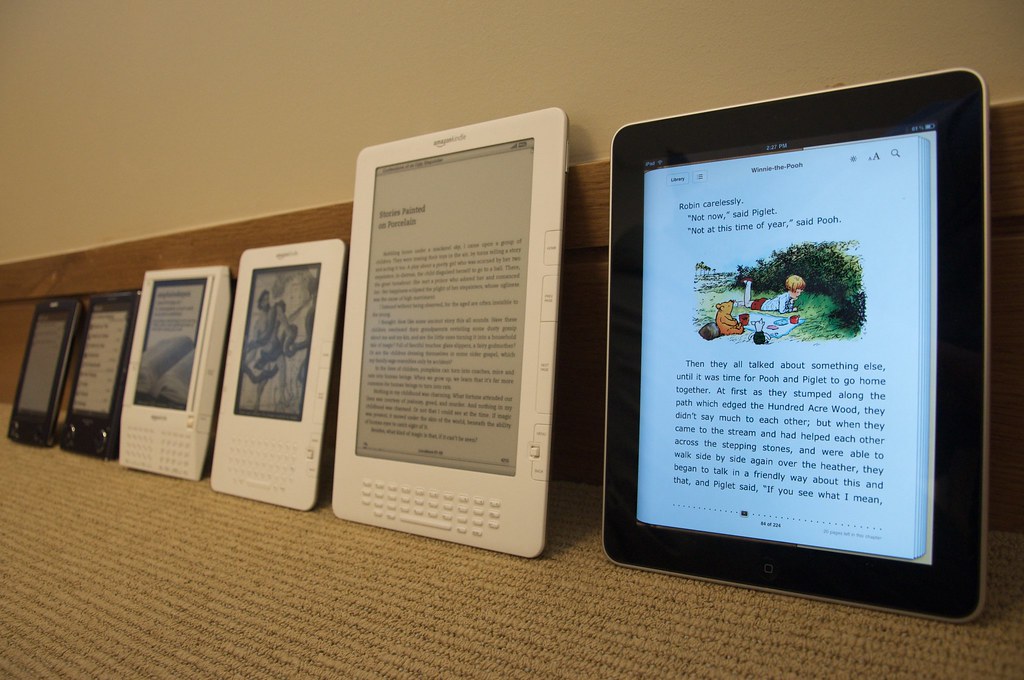
I've just gotten my first iPad in my classroom, and while I've been blogging about their potential for quite a while, I'm truly seeing their amazing possibilities.  One area I've found to be especially useful is in create an eBook library.

I've talked in the past about writing simple books with your students to help build your library (Stories in a New York Minute), what I want to talk about today is creating a digital library.  iBooks has the ability to work with ePub files, which means the files can include both images, audio & video embedded in the book.  I've recently started having my students create the books to include in this library.

We've been using an app called Creative Book Builder ($3.99).  This app allows us to create our books, add audio and type in some text with it.  You can then publish the book and open in iBooks.  We've created 4 easy books in as many days.  The app is pretty simple to use, and the kids don't have trouble at all with it.  One minor annoyance I'd like to see addressed in further updates is that any images or videos you want to use need to be on your Camera Roll before you can add them in.  Some apps will allow you to access the camera and take a picture right there, but not Creative Book Builder.  It's best to have all the pictures you want ready before you start working.

Another app we've been trying out is Blurb Mobile (Free).  This is a similar app, in that you can take pictures, add text, audio and video, and create simple books.  You can share your stories via various social media sites, including email (so easy sharing with parents).  The drawback is that they are not available outside of the app.  If you want a physical copy you can purchase them from the website, but there are no ePub options to self-publish like Creative Book Builder.

One website I'd like to see embrace ePub is TarheelReader.org.  Tarheel has to be one of my favorite websites of all time.  I use it weekly with my students and we write ebooks every week.  We also download them and print them out to have a copy in the classroom library.  While Tarheel is a great webapp on an iOS device (just head to the website using the Safari Browser and you can read any of the over 20,000 books available with speech).  You do need an internet connection to use it.  If books were available in to download in ePub, then the speech could be maintained and available offline.

I don't know exactly where this mobile education stuff is going, but I do know that having a digital eBook library is going to be a growing trend!


Photo courtesy of Flickr Creative Commons:  jblyberg

Share this
Do you know somebody else who would find this post interesting or useful? Please forward it to them. Did somebody forward this post to you? Visit Teaching All Students and subscribe to receive posts for free. If you need a tutorial please visit this post: RSS Readers.